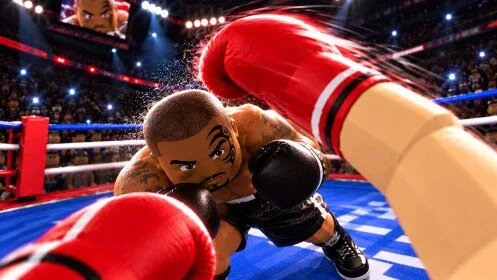
Customization changes the target
On PC, K opens customization. October guides and a walkthrough treat body and head as hitbox choices, not only cosmetics. The listed body shapes are Lean, Athletic, Muscular, V-Taper, Stocky and Heavy. The listed head shapes are Round, Oval, Square Jaw, V-Shape, Narrow and Strong Brow. Weight runs from Fly through Heavy. Height is a random roll, described as 165 cm to 201 cm, with a written reroll cost of 750 Coins. Confirm that cost on your screen.
The same walkthrough says a smaller fighter is faster and deals less damage, and a taller fighter deals more damage and is slower. Weight is described as a power tradeoff and left as a preference. The creator's small-target suggestion is Lean plus a Narrow head. That is a handling suggestion, not a required build and not a measured hitbox chart.
Some rings override the build. A published write-up says a ring can lock both fighters to 183 cm and the same weight class, so a rolled height only matters in rings that allow the difference. Read the rules before you blame a reroll for a loss.
Settings the videos actually showed
Open Settings with Left Alt on PC. The values below are creator preferences from October 2026, not a required competitive preset.
| Setting | What was reported | A reasonable first try |
|---|---|---|
| Field of view | Default described as 80 | 90 if you want the walkthrough's choice, or 100 if you want the beginner video's choice |
| Lock-on at fight start | Shown as a toggle, default off | On, if you lose the opponent |
| Head moves with punches | Shown on by default | Off, if the camera bounce makes counters hard to see |
| Knockdown replays | Shown on by default | Off only if the replay is in the way |
| Glove and look sensitivity | Shown around 1.0x | Leave it until aiming is the actual problem, then change one axis |
A wider view is meant to show hooks at the edge of the screen. Lock-on keeps the opponent centered. Turning off head movement with punches is meant to stop the camera jumping during your own punches. None of these toggles replace guard or spacing.
Change one option, spar a short AI exchange, and keep it only if the same mistake gets rarer. Then return to the first-session plan with that setup left alone.